Letting Claude Read My Release Notes
A weekly npm audit that uses my existing Claude Code session to read release notes and decide what's safe to auto-update — zero extra API cost.
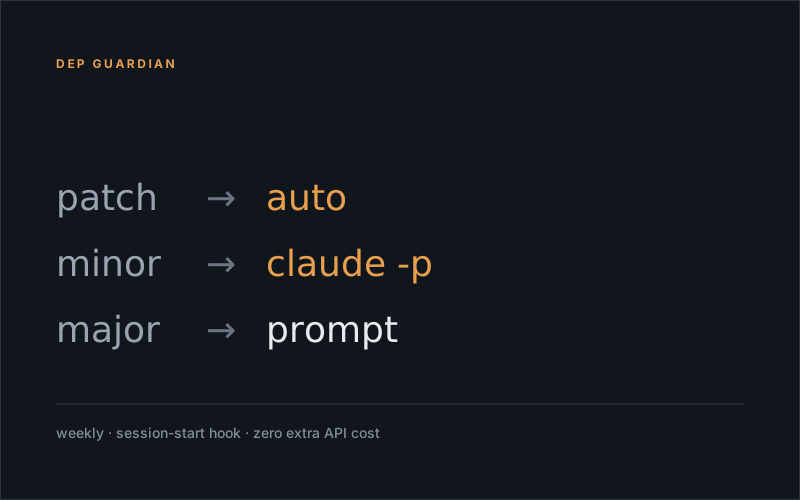
Keeping dependencies current is one of those things every project needs and every developer hates. You either skip it for months (then you’re juggling 14 majors and at least one is security-critical), update everything blindly (then production breaks at 3am), or spend an hour every Monday reading changelogs trying to spot breaking changes that maintainers describe in increasingly creative ways.
I built a small script in the GrowthBook Toolbox that does this for me. It runs once a week, classifies updates by semver bump, and uses the Claude Code session I’m already logged into to read release notes for the ambiguous ones. Total extra cost: zero — claude -p reuses my existing subscription, no separate API key.
npm run dep:checkOr — since I never remember to run things — a Claude Code SessionStart hook fires it once a week the next time I open the terminal.
What it actually does
The flow is uncomplicated:
- Gate check. If the last run was less than 7 days ago, exit silently. Don’t be the script that yells at you every morning.
- Outdated scan.
npm outdated --json, filtered against a permanent-ignore list (some packages I’ve decided to pin until a specific event). - Classify by semver bump. Patch, minor, or major.
- Decide what to do per package:
patch                                  → auto-update, no questions
minor + release notes + AI says safe   → auto-update
minor + no notes OR AI flags risk      → prompt me
major → always prompt (even if AI says safe)- One batched
npm installat the end with everything approved. - Print a summary, write a timestamp for next time.
The Claude part
For minor bumps I want a real read on whether the changelog is hiding a breaking change. The naive approach is keyword matching:
if (changelog.includes("breaking")) {
	flag();
}
Which fires happily on “no breaking changes” and any release-notes section literally titled “Breaking changes” that’s then empty. I tried this. It’s miserable.
The trick is to pipe the actual prose to Claude:
const verdict = await runClaude(`
	You're reviewing release notes for ${pkg}@${oldVersion} → ${newVersion}.
	Return JSON: { safe: boolean, reason: string }.

	${releaseNotes}
`);
Where runClaude shells out to claude -p. Claude reads the actual prose, picks up on “this only affects users of internal API X” or “the public API is unchanged, internal helper renamed”, and returns a verdict with one sentence of reasoning. The script auto-updates when safe: true, prompts me with the reasoning when it isn’t.
This works because release notes are unstructured language. Heuristics are bad at unstructured language. LLMs are good at it. And because claude -p runs through my logged-in CLI session, it costs nothing extra — I’d be paying for that subscription anyway.
The non-negotiables
A few rules that turned out to matter once the script was in real weekly rotation:
- Never crash the session. The SessionStart hook must exit
0even if the script blows up. A failed dependency check should never block your terminal opening. - Never force-push an update. If the AI is unsure, ask. The cost of a wrong “safe” verdict is a broken build; the cost of a “let me ask first” prompt is two seconds.
- Monday nudge, not exact 168 hours. The intent is “check once a week,” not “wait precisely seven days down to the second.” A
< 7 days agogate is fine; nobody’s measuring.
The pattern generalises beyond the GrowthBook Toolbox — any repo with a package.json can host this. Copy the scripts/dep-guardian/ folder, add "dep:check": "node scripts/dep-guardian/index.js" to package.json, optionally wire the SessionStart hook for the weekly nudge. No project-specific assumptions in the scripts; they only touch package.json, the GitHub public API, and a local gate file.
In the next post I’ll write up the multi-client MCP server pattern from the same toolbox — one MCP, per-client .env, auto-detected auth. Same energy: small piece of glue, big effect.
Happy auditing 🛡️