Forcing Variations Without Breaking Targeting
GrowthBook's native URL override bypasses every targeting rule. The QA preview tool I built keeps the rules in place — forcing only fires if the user already qualifies.
Every experimentation platform ships with a URL override for QA — punch a parameter into the address bar, see the variation. Convenient. The problem is that almost every implementation I’ve used does it wrong: the override skips the experiment’s targeting rules entirely. Mobile-only test? Forces on desktop. Page-specific test? Forces on every page. Attribute-gated test? Fires before attributes have loaded.
That’s not a preview. That’s a different experiment.
I ran into this hard enough on GrowthBook that I built a replacement. It’s been in the toolbox since v2.5.0 and it’s the single feature QA reaches for most often. This post is about how it works and why I think the pattern generalises beyond GrowthBook.
The gotcha with native overrides
GrowthBook’s allowUrlOverrides reads a query param like ?cep-119=1 and forces the variation directly. That bypasses:
- Device targeting (mobile-only experiments fire on desktop)
- URL/path filters (PDP-only experiments fire on the homepage)
- User-attribute gating (B2B experiments fire for B2C users)
- Race conditions (the experiment fires before attributes have loaded)
There’s no banner, no warning, no signal that you’ve stepped outside the actual experiment conditions. QA passes a build, it ships, real users hit the page on a phone, and the variation does something unexpected because the QA pass was never representative.
The fix has to keep the targeting rules in place.
Targeting-safe forcing
The whole tool is one URL parameter and ~15 lines in the render callback:
// in growthbook-experiments.js renderCallback
let experimentValue = growthBook.getFeatureValue(experimentId, -1);
const forcedValue = getForcedVariation(experimentId);

if (experimentValue !== -1 && forcedValue !== null) {
	experimentValue = forcedValue;            // targeting passed → apply override
} else if (experimentValue === -1 && forcedValue !== null) {
	tracer.warn(`cannot force ${experimentId} — targeting rules not met`);
	// experiment does NOT run
}
Two cases:
- GrowthBook would have run the experiment anyway → the override picks the variation.
- GrowthBook would not have run the experiment → we log a warning and bail.
Mobile-only forced on desktop? Warning, no run. Wrong page? Warning, no run. The override can change the variation, never the targeting decision. That’s the whole guarantee.
The URL surface
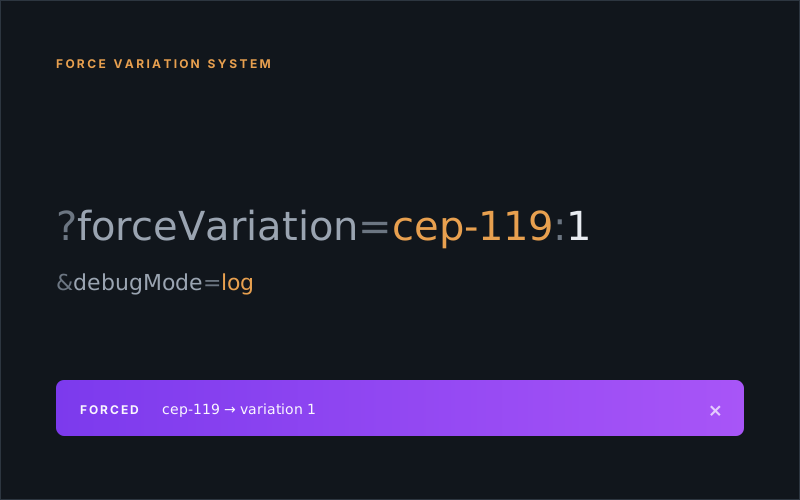
?forceVariation=cep-119:1&debugMode=logMulti-experiment is comma-separated:
?forceVariation=cep-119:1,cep-120:0,cro-633:1&debugMode=logVariation index matches the array order in experiment.variations[] — 0 is control, 1 is the first variation, and so on. Same convention as the GrowthBook UI.
Persistence and visual feedback
A QA pass usually means clicking around through several pages. So forcing has to survive navigation, but not survive the tab being closed (otherwise you forget you forced anything and start filing bugs against the wrong reality).
- Storage:
sessionStorage.mm-forced-variations(a JSON object keyed by experiment ID) - Persistence: survives
pushState, hard reloads, link clicks; clears on tab close - Banner: when
debugMode !== "none", a purple gradient bar pins to the top of the page listing every active forced experiment, with a “Clear All” and a per-experiment ×
The banner is the part QA didn’t know they wanted. It’s impossible to forget you’re in a forced state, and it’s one click to drop back to the real targeting outcome.
Debug modes
Forcing rides on top of a four-mode debug switch:
none— no banner, no logs. Production default.info— banner on, basic logs. Lightweight QA on a quiet build.log— banner on, detailed logs. Recommended QA mode.debug— banner on, verbose logs plus the Runtime Profiler. Captures DOM before/after snapshots; useful for deep debugging.
debug ties into the runtime profiler so the forced state lands in the profile export — mm_gbRuntime.profileData.growthbook_state.forced_variations. Helpful when QA hands a session over for engineering triage.
A small API
The handler is a self-contained module so other parts of the toolbox can introspect what’s forced:
import {
	initializeForcedVariations,
	getForcedVariation,          // number | null
	getAllForcedVariations,      // Map<string, number>
	hasForcedVariations,
	isForcingExperiment,
	clearForcedVariations,       // dispatches mm-forced-variations-cleared
	clearForcedVariation         // dispatches mm-forced-variation-cleared
} from "@utilities/force-variation-handler.js";
Custom events on clear so other modules — the banner, the runtime profiler, anything that cares — can react without polling.
Manual console use
For when you want to force without reloading the URL:
// Inspect what's forced
sessionStorage.getItem("mm-forced-variations");

// Force manually
sessionStorage.setItem("mm-forced-variations", JSON.stringify({ "cep-119": 1 }));
location.reload();

// Clear
sessionStorage.removeItem("mm-forced-variations");
location.reload();
Same storage key, same targeting check on the next render. The URL parameter is just a sugar wrapper around this.
Why this pattern is portable
The targeting-safety idea isn’t really about GrowthBook. Anywhere you have URL-based overrides for gated execution — feature flags, A/B platforms, even auth shims — the rule is the same:
Check the gate first. Apply the override second. Never let a debug flag bypass real runtime conditions.
Otherwise QA stops being representative of production, and the bugs you’re hunting move from the variation into the gate that hides under the override. I’d rather see a warning in the console than ship a green QA build that lied about which device it was on.
It’s not a glamorous feature. It’s the kind of small fix that quietly removes a whole category of “but it worked in QA” tickets — which is exactly the kind of feature I want more of.